Direct answer
This article is a pre-dye decision guide: it helps you name a blonde direction (warmer, cooler, very pale, or dimensional) and decide what is worth testing before bleach. The actual try-on happens on the existing tool — not on a separate blonde product page:
HairGlimpse hair color changer
An AI color try-on can hint whether a lighter frame flatters your face on your selfie. It cannot promise salon lift, toner results, or that every facial detail stays identical.
Your first preview is free, with no account or card. Signing in with Google adds 10 credits for one more look.
Why this question shows up so often
People rarely ask for a chemistry lecture first. They ask a face question: what would I look like blonde — often with “don’t change anything else.”
Public asks include a plain “what would i look like blonde” (February 2025), photo requests to Grok for blonde (March 2026), blonde with nothing else changed (September 2026), and platinum blonde-silver (April 2026). These justify writing the question in plain language. They do not prove ranking opportunity or guarantee conversion.
Blonde is a family, not one shade
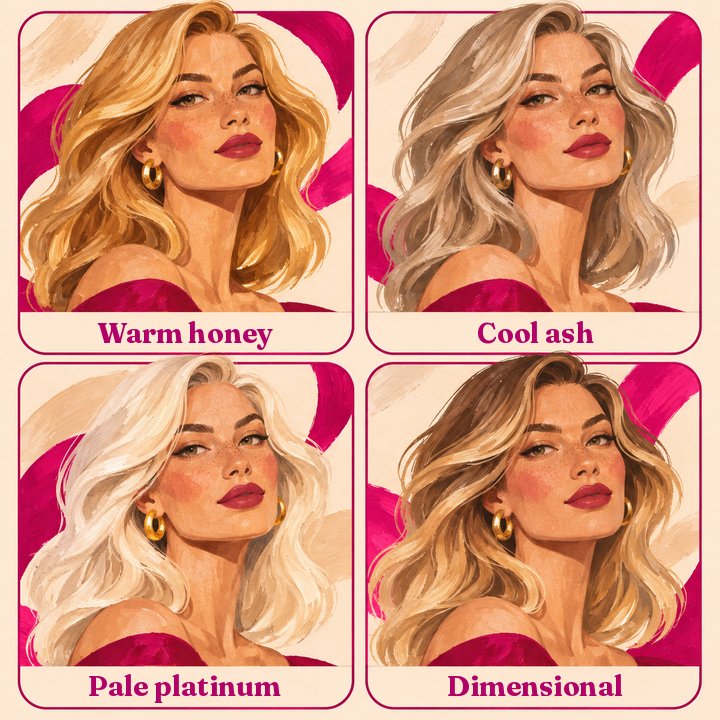
Before you open any try-on tool, name the job in ordinary language. The labels below are educational comparisons only — not HairGlimpse product presets.
Warmer / honey-leaning blonde. Soft gold, less icy. Ask: do warm metals already flatter me?
Cooler / ash-leaning blonde. Muted yellow, cooler cast. Ask: do I want less brass, or will cool tones wash me out?
Very pale / platinum-leaning. High contrast, high maintenance. Ask: am I previewing a finished fashion look, not a one-step fantasy?
Dimensional / balayage-style lightness. Lived-in lift, softer root line. Ask: do I want movement more than a full bleach-out?
When you are ready to see a direction on your photo, use the hair color changer. Pick only options that appear in the live UI that day. If you actually want silver rather than yellow-based blonde, compare on the gray hair try-on instead.
How to run a fair blonde test
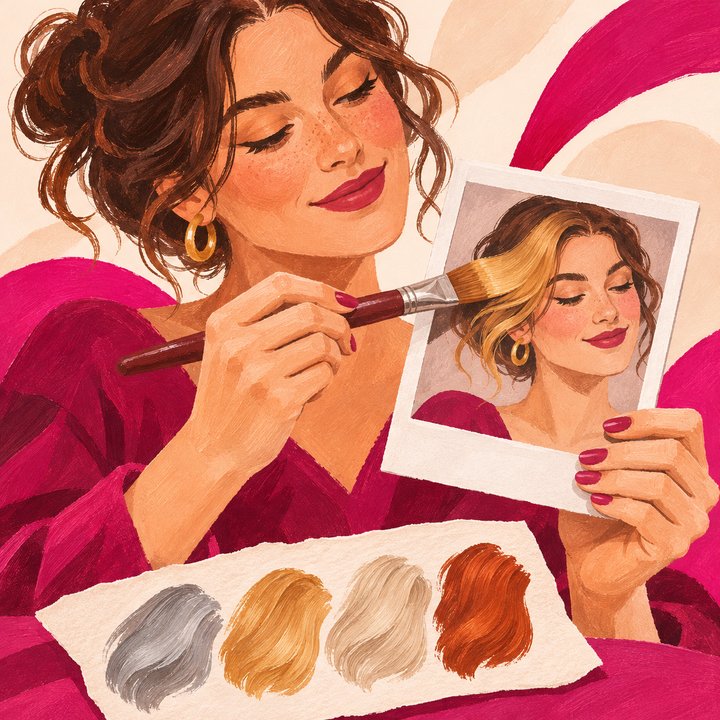
One clear selfie. Front-facing, full head, hairline visible, soft even light, no beauty filter.
Pick at most two directions on the color changer from whatever colour options the live UI shows that day — compare warmer versus cooler, or dimensional versus all-over pale — so your eyes can vote. Do not assume a named shade exists as a preset.
Stack them on the comparison board (the live tool is built to hold multiple looks on one photo).
Identity check. HairGlimpse instructs the model to preserve your face, and also states AI can still alter facial details. If the jaw, eyes, or skin tone drifted, discard that frame.
Write one chair sentence. Example: “I want a cooler blonde frame without going full platinum,” or “Dimensional balayage only — no all-over bleach.”
Show a human the shortlist. Use the stylist handoff habit in How to show an AI hairstyle try-on to your stylist.
What the try-on can — and cannot — tell you about blonde
Can help. Whether a warmer or cooler blonde sits better on your undertone in your lighting. Whether platinum’s contrast feels exciting or harsh on your brows and skin. Whether a softer dimensional direction already answers the craving without a full bleach-out fantasy. Whether you still look like yourself when only the hair color changes.
Cannot tell you. How many salon sessions your starting level needs. Whether your hair will lift evenly, band, or break. Exact toner formulas, root schedules, or at-home purple-shampoo rituals as medical advice. That the screen color equals the bowl result after chemistry. That AI “never” changes the face — always compare to the original photo. Guaranteed “realistic blonde” after bleaching — the preview is a direction, not a contract.
AAD coloring tips note that staying within about three shades of your natural color is gentler, and lightening further typically means higher peroxide and more damage risk. That is a caution to discuss with a colorist, not a DIY bleach protocol.
More general try-on boundaries: What an AI hairstyle try-on can — and can’t — tell you.
Blonde vs “just change the hair”
Many public asks add “change nothing else.” That is the right quality bar for a decision tool: hair color edit, not a full-face costume. HairGlimpse’s color page positions the product as an AI edit that targets hair rather than a filter that tints skin and forehead with the same wash. Still verify every frame. If skin goes orange with copper or forehead goes blonde with the hair, that frame failed the job — delete it.
Gallery photos on the homepage are AI-generated inspiration and use a different pipeline from the website try-on model. Judge the tool by your free preview, not by lookbook mood shots.
Try a direction on your photo
Open the hair color changer, pick a live colour option, upload your selfie, and let your eyes vote before you book lightening.
Your first preview is free, with no account or card. Signing in with Google adds 10 credits for one more look. See pricing for pack details after the free look.
Weighing silver instead of yellow-based blonde? Compare on the gray hair try-on.
What would I look like with blonde hair?
Use this guide to pick a direction, then upload a clear selfie on the hair color changer. Test at most two live UI options on the same photo, keep only frames where your face still looks like you, then ask a colorist what your starting level can support.
Can I compare two blonde directions on the same photo?
On HairGlimpse’s color changer, multiple results are meant to stack on a comparison board when the live UI offers the options you want. Limit yourself to a short shortlist. Named shades in this article are illustrative labels, not a guarantee those exact presets exist.
Will AI blonde look exactly like salon blonde?
No. A preview can hint whether a lighter frame flatters you. Lift, toner, porosity, and previous color decide the real result. Do not treat the screen as a formula.
Does going blonde damage hair?
Lightening can be hard on hair, especially when you jump many levels. AAD public tips warn that lifting more than about three shades involves higher peroxide and more damage risk. Ask a professional about your hair’s condition; this article does not provide a bleaching method.
Is dimensional blonde easier to maintain than all-over platinum?
Often lived-in or balayage-style placements are discussed as lower root-line pressure than a full pale bleach-out — but your schedule still depends on starting color, how light you go, and how you wash and style. Confirm maintenance with your colorist; do not take a blog interval as a guarantee.
Should I use a filter app instead?
If the filter changes your jaw or tints your skin with the hair color, it is a costume, not a booking reference. Prefer an edit that aims at hair only, then still identity-check every frame.
The honest rule: this page is a pre-dye decision guide, not a second blonde product landing. Name a direction, then try it on the hair color changer. Keep frames that still look like you, and leave chemistry to a colorist. First preview free — no account, no card.